
Rework your whole LinkedIn, in your own voice.
Headline, About, posts and replies, rewritten from what you tell it. Where it doesn't know something, it leaves a gap instead of making it up.
100 free credits, no card. You sign in through LinkedIn itself; PersonaPost never sees your password.
Gagan Baghel
Software Developer
Building PersonaPost so busy professionals stop staring at blank LinkedIn drafts. It rewrites your notes into your voice and drafts replies too. [X] users so far.
About
I write LinkedIn posts the way most people write code: badly, at 11pm, then never again.
That's why I built PersonaPost.
Activity
3 drafts waiting for your approval
Next one goes out Tue 9:30
- Rewritten from a two-word headline. It needed a number it didn't have, so it left a gap for you instead of making one up.
- LinkedIn cuts your About off after about two lines. These two are written to earn the click on “see more”.
- Posts sit in a queue until you approve them. Then they go out at the time you usually post.
One workspace for all of it.
Real screens, real output. The headline options below came straight from Claude Code.
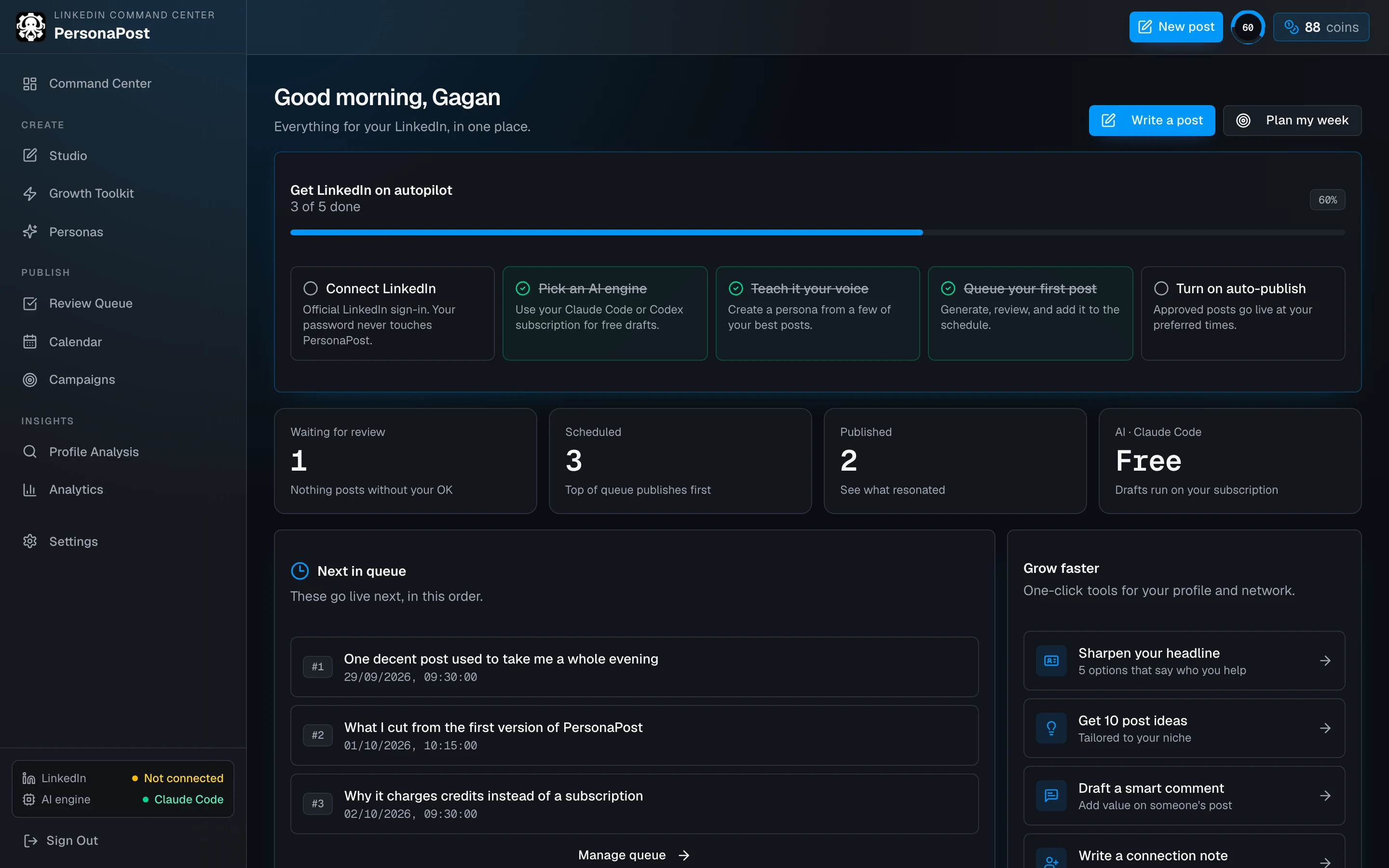
![Growth Toolkit, Headline tab: the current headline pasted in, and four rewritten options each with a character count under 220 and a Copy button. Two options contain bracketed gaps such as [X] users so far.](/marketing/growth-toolkit.webp)
claude -p --tools "", so the model can write text and nothing else.- one decent LinkedIn post takes me a whole evening, so I rarely post - built PersonaPost: paste rough notes, get a draft in my own voice - nothing publishes until I approve it, then it goes out at my usual time - runs on my existing Claude Code subscription, so drafts cost nothing extra
Gagan Baghel
Building PersonaPost
Draft ·
One decent LinkedIn post used to take me a whole evening.
Write something, hate it, rewrite it, second-guess the hook, close the tab. Repeat that enough times and you just stop posting. That's what was happening to me.
So I built PersonaPost.
I paste rough notes, whatever is in my head, half-formed thoughts, a meeting recap, a rant. It gives me back a draft in my own voice, not some generic LinkedIn-guru voice.
Nothing publishes automatically. I read every draft, edit what's off, approve it. Then it goes out at my usual posting time, so it doesn't look like I dumped five posts at 2am.
[…]
Still deciding [what's next for it / whether to open it up to others]. For now it's just solving my own problem, which is usually a good sign.
#buildinpublic #indiehacker
- The notes didn't say what's next, so the draft asks you. You fill the gap or cut the line before approving.
- Nothing publishes from here until you press approve.
Four rough notes in. A post you'd sign your name to.
It learns how you write from a few posts you like. Plan a week at once, drag drafts into order, and nothing goes out until you approve it.
What it will never do with your account.
- Ask for your LinkedIn password. You sign in on LinkedIn's own page.
- Scrape LinkedIn or drive a hidden browser. It uses LinkedIn's official API and nothing else.
- Like, comment or send connection requests for you. It drafts; you press the button on LinkedIn.
- Publish a post you haven't approved.
₹0 to start.
₹199 when you need more.
| Pack | Credits | About | Price |
|---|---|---|---|
| On sign-up | 100 | 33 posts | Free |
| Starter | 50 | 16 posts | ₹199 |
| Pro | 150 | 50 posts | ₹499 |
| Agency | 500 | 166 posts | ₹1,499 |
A post draft is 3 credits. A headline, About or reply run is 1. An image is 5.
No subscription, and credits don't expire. If you run out, drafting pauses, and posts you've already approved still go out on time.
Full pricingBefore you connect your account
Do I have to give you my LinkedIn password?
No. You press “Sign in with LinkedIn” and log in on LinkedIn's own page. LinkedIn gives PersonaPost a token that can publish for you and read your posts' numbers. Revoke it any time from Settings, or from LinkedIn itself.
Can it change my profile directly?
No, and that's LinkedIn's rule, not ours: its API doesn't let apps edit your headline or About. PersonaPost writes the options; you paste the one you like. Takes about ten seconds.
Could this get my account restricted?
Accounts get flagged for scraping, browser automation and automated likes or comments. PersonaPost does none of that. Posts go out through the official API, the same way scheduling tools publish.
Can I use my Claude or ChatGPT subscription?
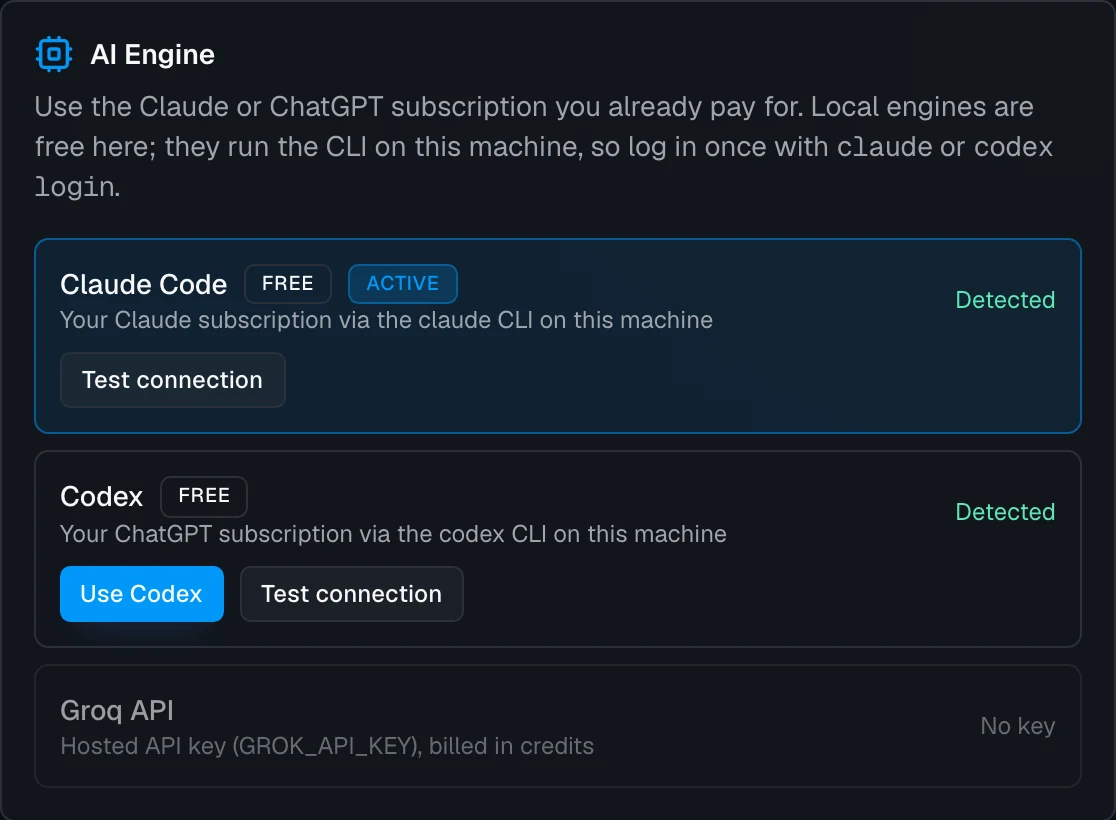
Yes, if PersonaPost runs on your own computer with Claude Code or Codex installed and logged in. Pick it under Settings → AI Engine and text drafts stop costing credits.
Company pages?
Not yet. Personal profiles only for now.